

Table of Contents
Introduction
An hdmi encoder for iptv is the critical hardware link between any video source and a live internet television distribution system. Whether you’re building a hotel IPTV headend, streaming a live event to a local network, broadcasting a church service, or distributing corporate video content across an office building, the hdmi encoder for iptv you choose determines the quality, reliability, and scalability of the entire system.
In 2026, the market for this category of hardware has matured significantly. Compact, affordable single-channel devices now sit alongside powerful multi-channel rack units — and the gap in performance between budget and professional options has grown more pronounced. Knowing what to look for before you invest ensures the device you choose genuinely serves your deployment for years to come.
This guide covers how an hdmi encoder for iptv works, the key specifications that separate quality hardware from underperforming alternatives, the most common use cases, step-by-step setup guidance, and answers to the questions buyers most frequently ask.
How an HDMI Encoder for IPTV Works
Understanding the core function of an hdmi encoder for iptv makes every other evaluation decision more straightforward.
The device accepts a raw HDMI input signal from a connected source — a camera, set-top box, Blu-ray player, gaming console, laptop, or any other HDMI output device. That raw signal, which at 1080p60 represents several gigabits of uncompressed data per second, is then compressed in real time using a video codec — typically H.264 or H.265 — reducing it to a bitrate suitable for network transmission.
Once compressed, the hdmi encoder for iptv packages the stream into a transport protocol — RTMP, HLS, UDP multicast, or RTSP — and delivers it to a destination: a media server, CDN, local IPTV middleware platform, or directly to end-user devices on a local network.
What distinguishes a dedicated hdmi encoder for iptv from software encoding on a laptop or desktop is the use of purpose-built hardware silicon. Dedicated encoding chips deliver consistent real-time performance, glass-to-glass latencies as low as a few hundred milliseconds, and continuous 24/7 operation without the thermal instability or software crash risks associated with general-purpose computing.
Key Specifications When Choosing an HDMI Encoder for IPTV
These are the specifications that have the most meaningful impact on real-world performance when selecting an hdmi encoder for iptv.
HDMI input version and resolution support. Confirm the device accepts the HDMI version used by your source equipment. Most modern hdmi encoder for iptv hardware supports HDMI 1.4 or 2.0, handling resolutions from 480p up to 4K UHD at 30 or 60 frames per second depending on the model. Match the encoder’s maximum supported resolution to your source’s output capability.
Output codec. H.264 (AVC) remains the most universally compatible output codec — supported by virtually every IPTV player, media server, and playback device in use today. H.265 (HEVC) offers approximately double the compression efficiency, delivering equivalent visual quality at roughly half the bitrate. A premium hdmi encoder for iptv supports both codecs, allowing you to choose based on your network bandwidth and audience devices.
Supported output protocols. The hdmi encoder for iptv you choose must support the protocols your distribution infrastructure uses. RTMP is standard for pushing to media servers and CDN platforms. HLS suits browser-based and mobile delivery. UDP multicast is essential for efficient distribution to large numbers of simultaneous viewers on a local network. RTSP covers point-to-point streaming scenarios. A versatile device supports multiple protocols simultaneously.
Output bitrate range. For HD content, a quality hdmi encoder for iptv should support output bitrates up to 15–20 Mbps per channel. For 4K streams, 25–50 Mbps capacity ensures sufficient headroom for high visual fidelity.
Low-latency mode. Applications involving live sports, interactive content, or real-time monitoring benefit significantly from low glass-to-glass latency. Look for an hdmi encoder for iptv that explicitly supports a low-latency encoding mode, delivering under one second from source to screen.
Audio support. Video is only half the signal. Confirm the device handles your required audio format — AAC is the standard for most IPTV deployments — and supports stereo or multi-channel audio as your source requires.
Management interface. A well-designed web-based dashboard simplifies initial configuration, ongoing monitoring, and troubleshooting. Enterprise-grade hdmi encoder for iptv hardware also supports SNMP integration for incorporation into broader network management systems.
Build quality and thermal design. For permanent installations running continuously, build quality matters as much as feature set. A fanless passive cooling design is ideal for noise-sensitive environments. Active cooling with a reliable thermal management system suits rack-deployed installations where ambient noise is less of a concern.
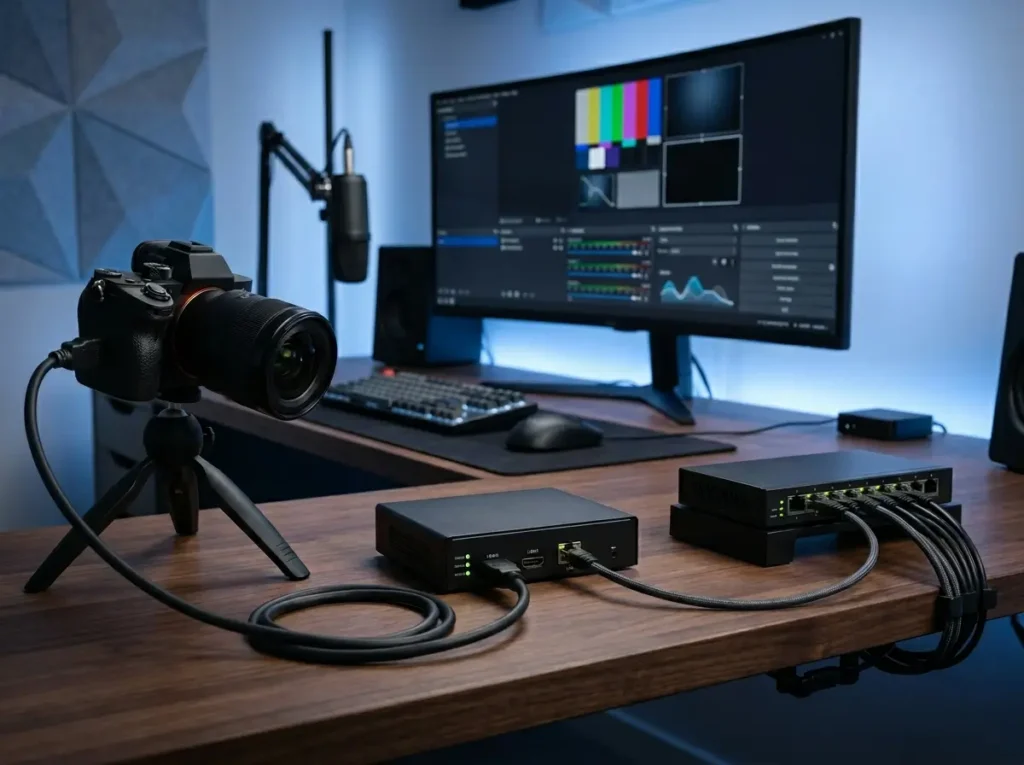
HDMI Encoder for IPTV: Most Common Use Cases
The hdmi encoder for iptv category serves a wide range of deployment scenarios. Understanding where this hardware fits confirms whether it’s the right solution for your specific application.
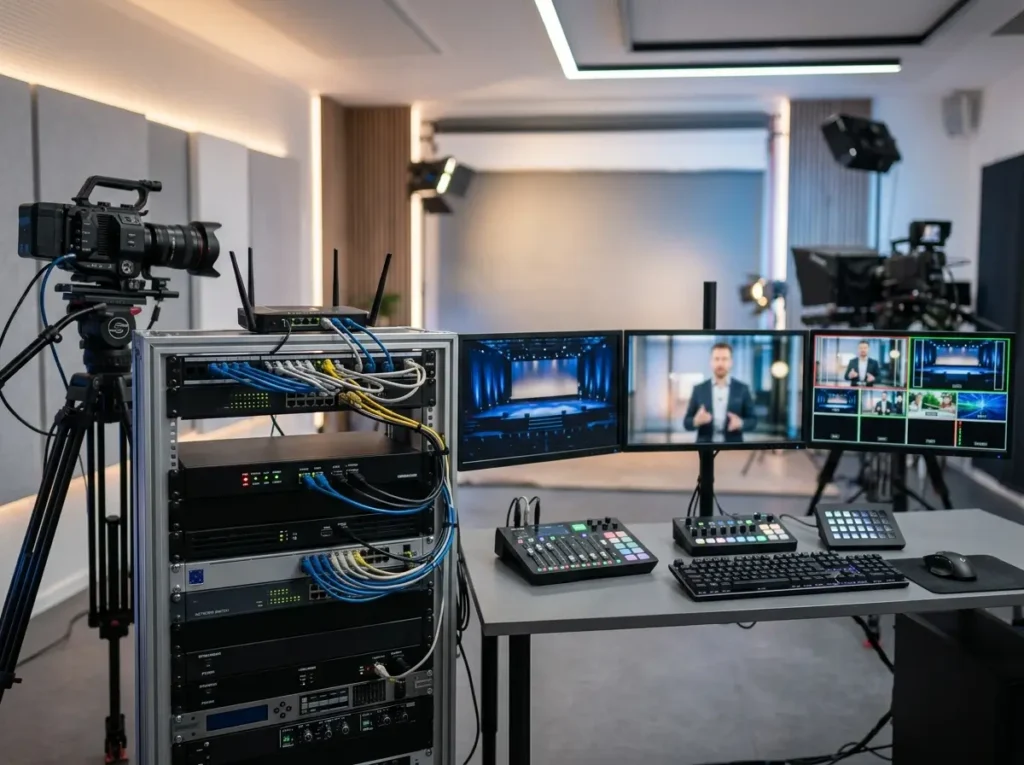
Hotel and hospitality IPTV systems represent one of the most widespread use cases. A headend of hdmi encoder for iptv devices converts satellite receiver outputs, local channel feeds, and custom content sources into IPTV streams distributed to every guest room television over the existing network infrastructure — eliminating the need for individual set-top boxes in each room.
Corporate and enterprise video distribution uses an hdmi encoder for iptv to deliver live presentations, CEO communications, training sessions, and company-wide broadcast events to screens distributed across multiple floors, buildings, or remote offices over the corporate network.
Houses of worship increasingly rely on this hardware to stream live services simultaneously to large venue displays, overflow rooms, and online audiences — all from a single hdmi encoder for iptv device connected to the production video output.
Educational institutions deploy hdmi encoder for iptv hardware to distribute lecture streams, campus news, and educational channel content to classroom displays and student devices across the campus network.
Live event production uses single-channel hdmi encoder for iptv units to contribution-encode feeds from cameras and production switchers for transport to remote production facilities, cloud platforms, or local display systems.
Each scenario benefits from the same core qualities: real-time compression, low latency, continuous operation, and reliable network delivery.
How to Set Up an HDMI Encoder for IPTV
Initial configuration of an hdmi encoder for iptv follows a consistent workflow regardless of manufacturer or model. Most setups are complete in under 30 minutes.
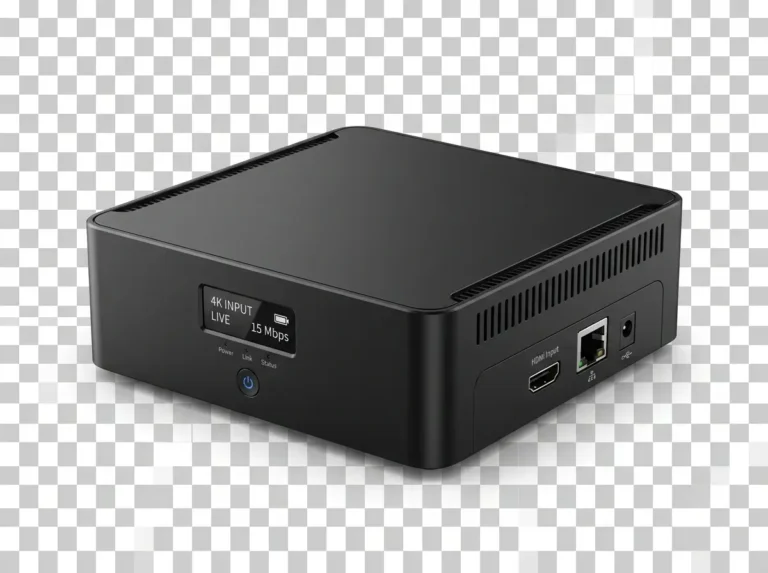
Step 1 — Connect the video source. Use a quality HDMI cable to connect your source device to the HDMI input port of the encoder. Confirm the source is outputting a valid signal — most hdmi encoder for iptv devices indicate signal detection via a front-panel LED or web interface status indicator.
Step 2 — Connect to your network. Connect the encoder to your local network via the Ethernet port. For stable operation, use a wired connection rather than Wi-Fi. Note the device’s IP address from its front panel display or by checking your router’s connected device list.
Step 3 — Access the web management interface. Open a browser on a device connected to the same network and navigate to the encoder’s IP address. Log in with the default credentials provided in the device documentation, then update to a secure password.
Step 4 — Configure encoding parameters. Set your output codec (H.264 or H.265), resolution, frame rate, and target bitrate. For HD delivery on a local network, 4–8 Mbps H.264 is standard. For internet delivery where bandwidth is constrained, 2–4 Mbps H.264 or 1.5–3 Mbps H.265 delivers good quality.
Step 5 — Configure output protocol and destination. Select your streaming protocol and enter the destination address — your media server’s RTMP ingest URL, UDP multicast address, or HLS output configuration. Enter any required stream keys or authentication credentials.
Step 6 — Start the stream and verify. Activate the stream from the management interface and verify receipt on a target playback device. Monitor the dashboard for dropped frames, bitrate stability, and device temperature during an initial extended test run before permanent deployment.
HDMI Encoder for IPTV — Frequently Asked Questions
What is the difference between an hdmi encoder for iptv and a capture card?
A capture card sends raw video to a computer for software encoding. An hdmi encoder for iptv performs the complete encoding process internally using dedicated hardware chips, producing a ready-to-stream output with no computer required. This makes it ideal for permanent, unmanned installations.
Can one hdmi encoder for iptv stream to multiple destinations simultaneously?
Many models support simultaneous multi-output streaming — pushing an RTMP stream to a media server while also multicasting UDP to a local network, for example. The number and types of simultaneous outputs supported varies by model; confirm this specification before purchasing.
Does an hdmi encoder for iptv work with any IPTV platform or media server?
Provided the encoder supports the protocol required by your platform — typically RTMP, HLS, or UDP — it will work with virtually any IPTV middleware, media server software, or CDN platform. Always confirm protocol compatibility against your specific infrastructure before purchasing.
What HDMI source devices work with an hdmi encoder for iptv?
Any device with an HDMI output — cameras, set-top boxes, gaming consoles, laptops, Blu-ray players, production switchers, and more — is compatible. Confirm that the encoder supports the HDCP (copy protection) status of your source if relevant, as some sources output HDCP-protected signals that certain encoders do not accept.
How long can an hdmi encoder for iptv run continuously?
Quality hardware encoders are designed for 24/7 continuous operation. With adequate ventilation and a stable power supply, a well-built device can reliably serve a deployment for five or more years before hardware aging becomes a meaningful concern.
Is an hdmi encoder for iptv difficult to configure?
Most modern devices provide a web-based management interface designed to be accessible to non-engineers. Basic setup — connecting a source, configuring a codec and bitrate, and pointing the output to a destination — typically takes under 30 minutes for a first-time user working from the device documentation.
Conclusion: Choosing the Right HDMI Encoder for IPTV
The right hdmi encoder for iptv is the one that matches your source equipment, network infrastructure, distribution protocol, and deployment scale. A compact single-channel device suits a small venue, single-source live stream, or entry-level corporate deployment. A multi-channel rack unit with SDI and HDMI inputs serves hotel headends, broadcast facilities, and campus IPTV networks handling multiple simultaneous feeds.
Prioritize codec flexibility, protocol versatility, low-latency support where needed, and build quality for continuous operation. Verify management interface usability before deployment, and confirm compatibility with your downstream IPTV platform or media server.
In 2026, the hdmi encoder for iptv market offers genuinely capable hardware at a range of price points. With the right device selected and properly configured, your video distribution infrastructure delivers reliable, high-quality streams that serve your audience consistently — whether that audience is ten screens or ten thousand.
I hadn’t realized that the performance gap between budget and professional HDMI encoders has grown so much. It really highlights how important it is to match your hardware choice to your long-term streaming goals. Considering the use case and scalability upfront seems like a smart way to avoid issues down the line.
The distinction you drew between budget and professional-grade encoders is particularly relevant for 2026, as the performance gap now significantly impacts long-term scalability. Highlighting use cases like hotel headends and church broadcasts really clarifies how critical the right hardware choice is for maintaining consistent stream quality across different network environments.